How do I connect Winkelstraat to Afosto
Follow the steps below to activate the connection with Winkelstraat
Create app
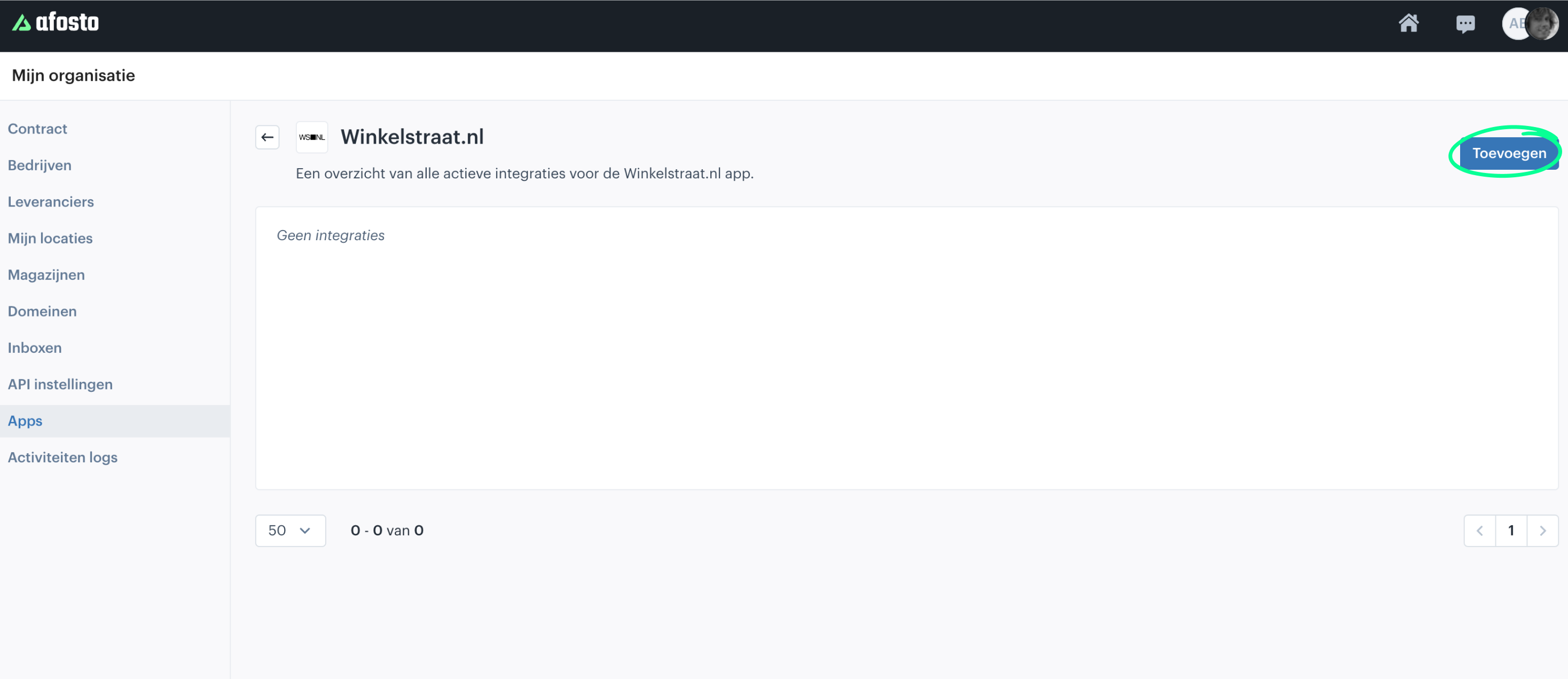
Go to Apps in the admin environment by clicking this link
Now click 'Add' (top right)

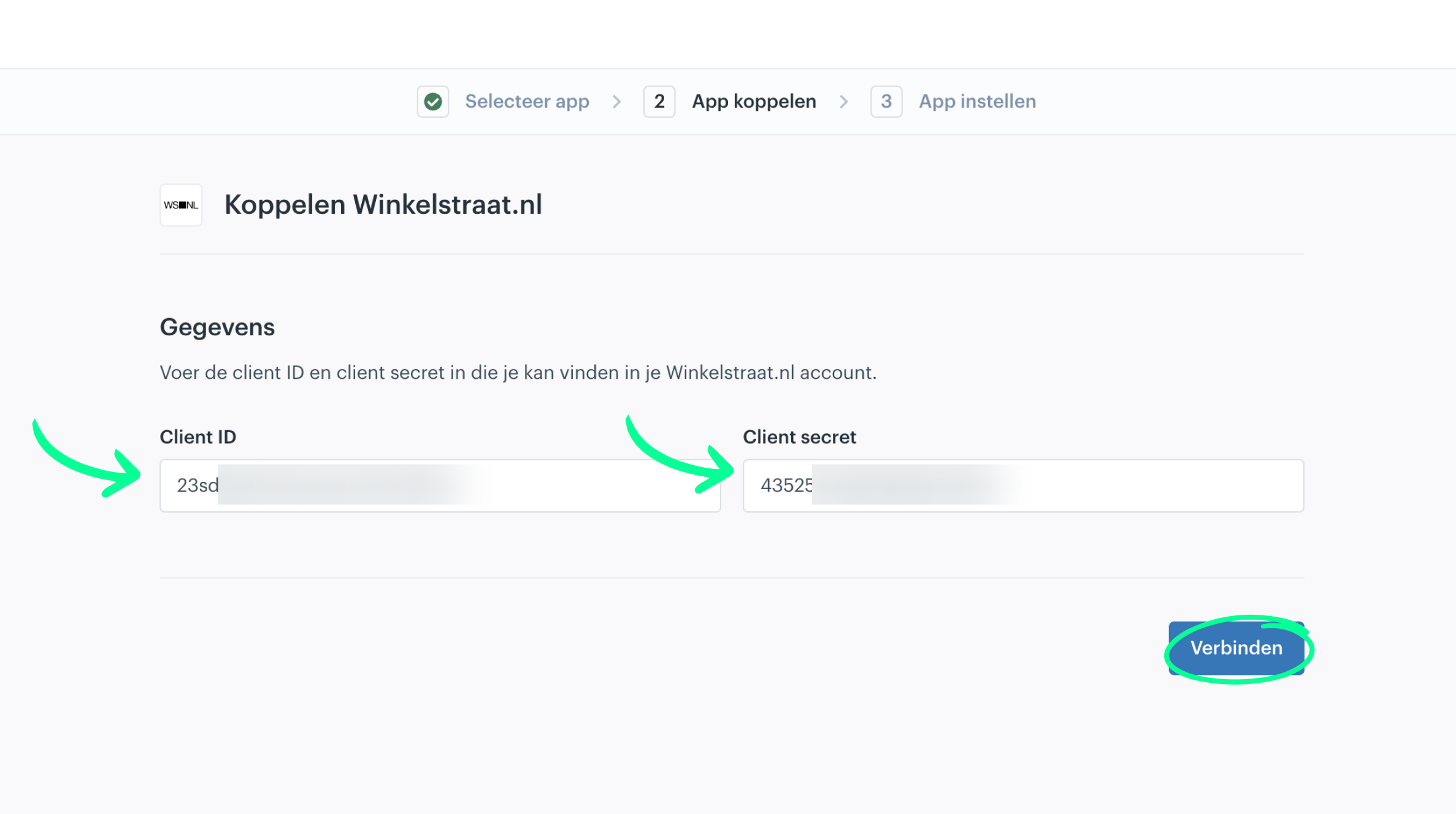
- Now enter a Client ID and Client secret (you can request this information from your Winkelstraat Account Manager) and click connect

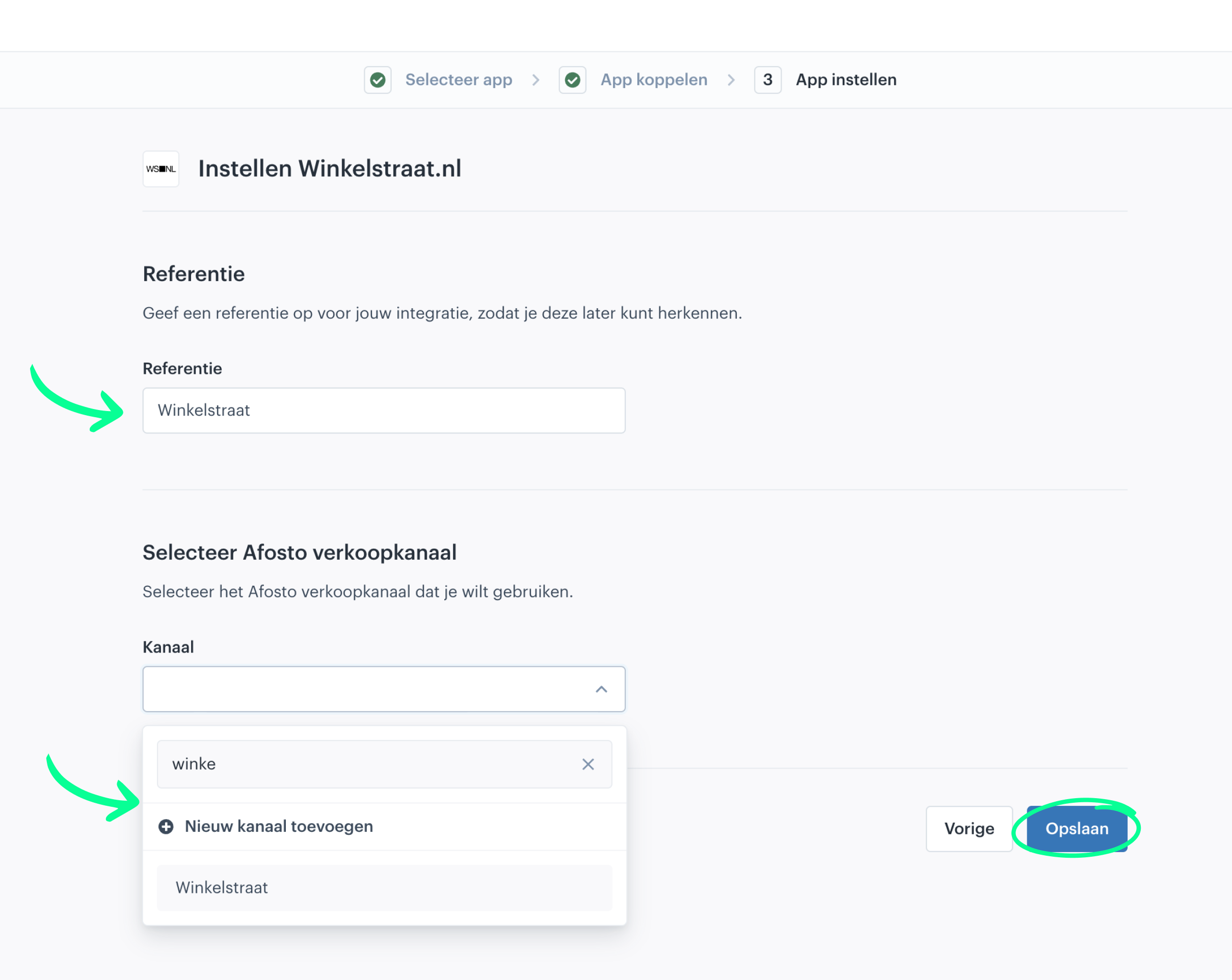
- Optionally, now provide a suitable reference for the name of the connection, then choose a channel where you want to import the orders and click 'Save'

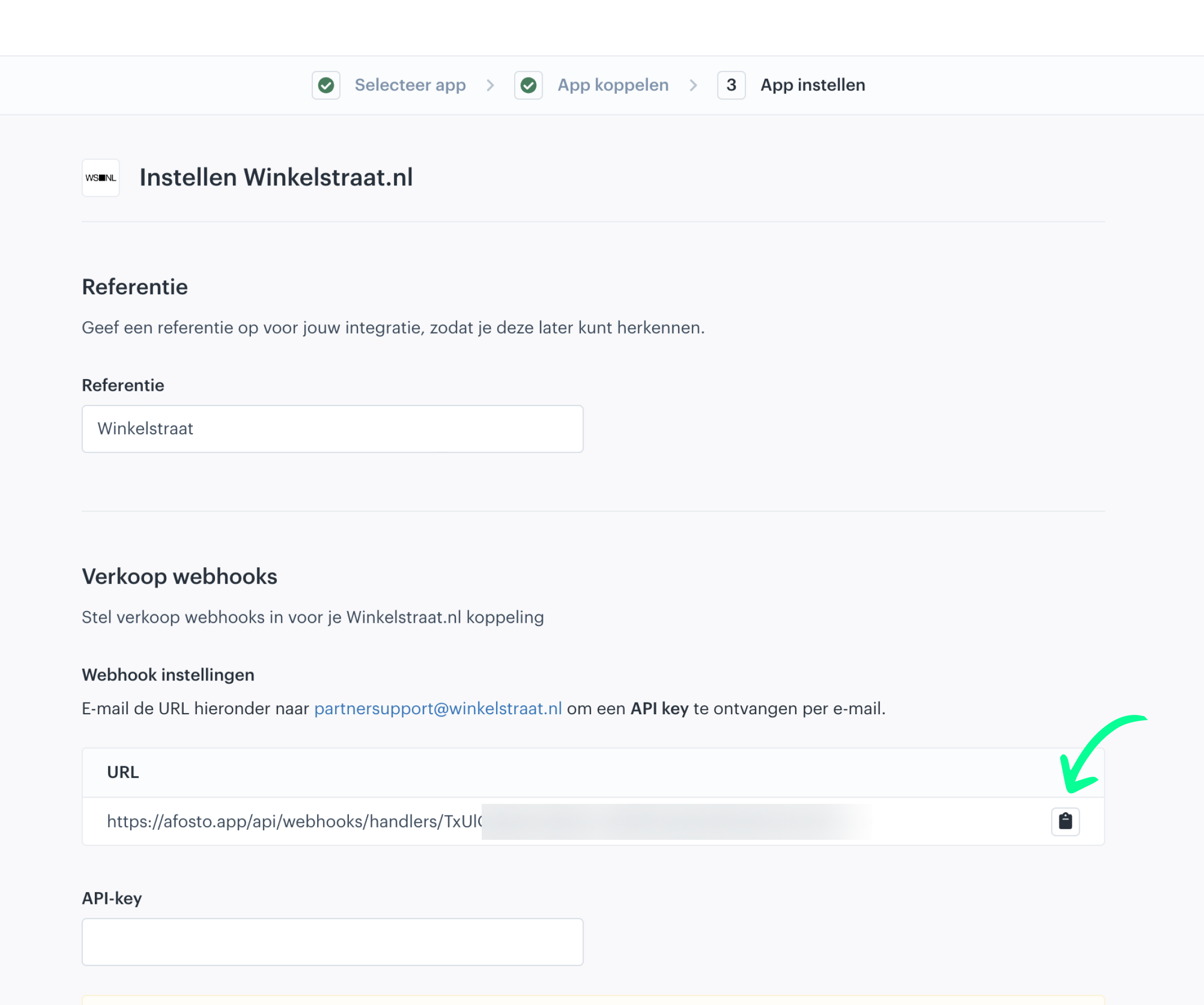
- You will now see a screen showing a link that starts with https://afosto.app/api/webhooks/handlers/...
- This URL is important for Winkelstraat; copy the link by clicking the button behind the link and email the URL to your account manager at Winkelstraat.
- Leave the API-key field empty for now. Once you have emailed the Winkelstraat account manager with the above URL, you will normally receive an API-Key, which you can optionally fill in later (by editing the connection). However, this step is not required for the correct functioning of the connection.

- Then choose whether you also want to synchronize Cancellations and Stock changes to Winkelstraat and click 'Save' again

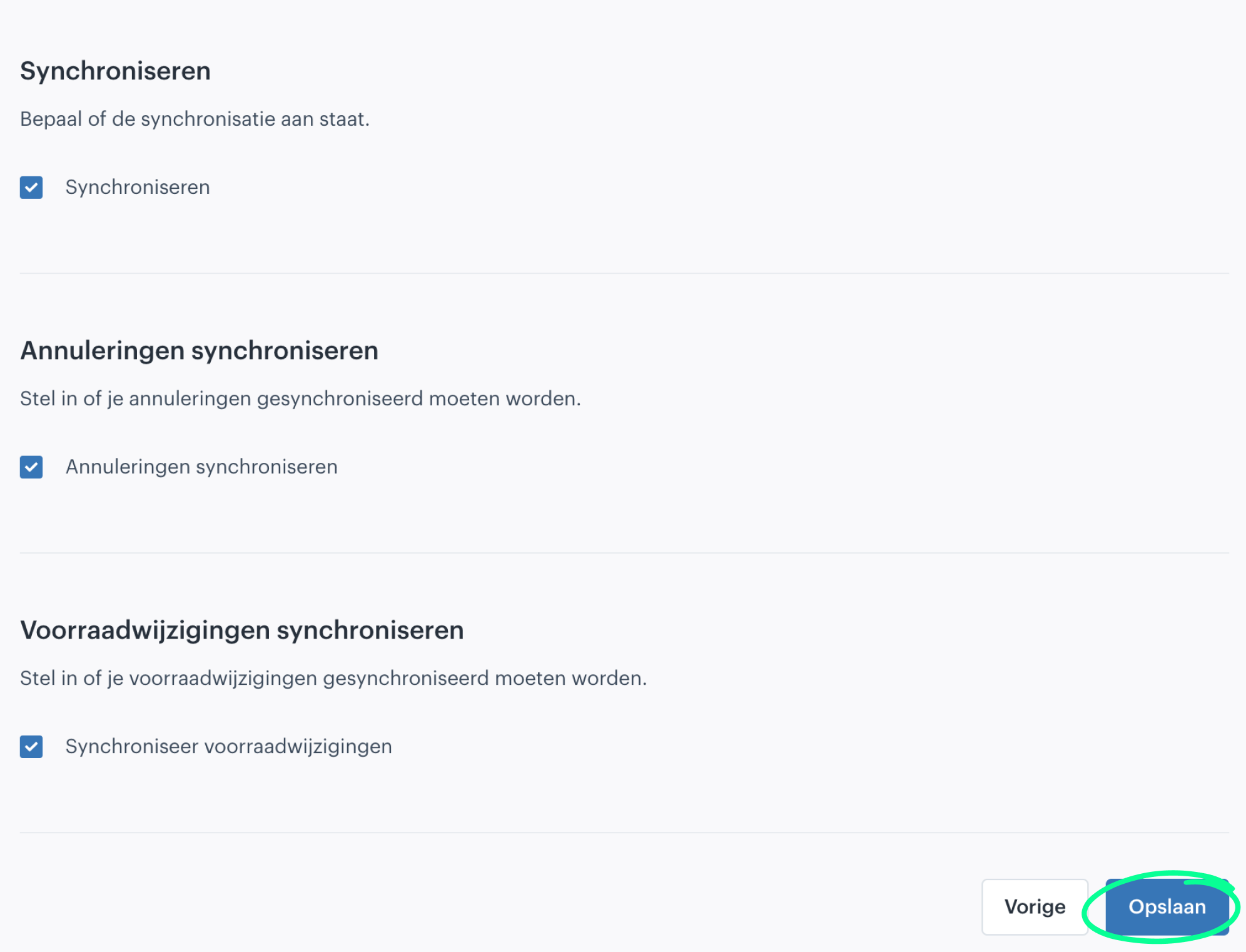
Congratulations, the connection is now correctly set up. Once Winkelstraat has also activated the order connection, the first orders will start coming in.
Extra security
- Click the button with the 3 dots behind the newly installed connection and then click Edit

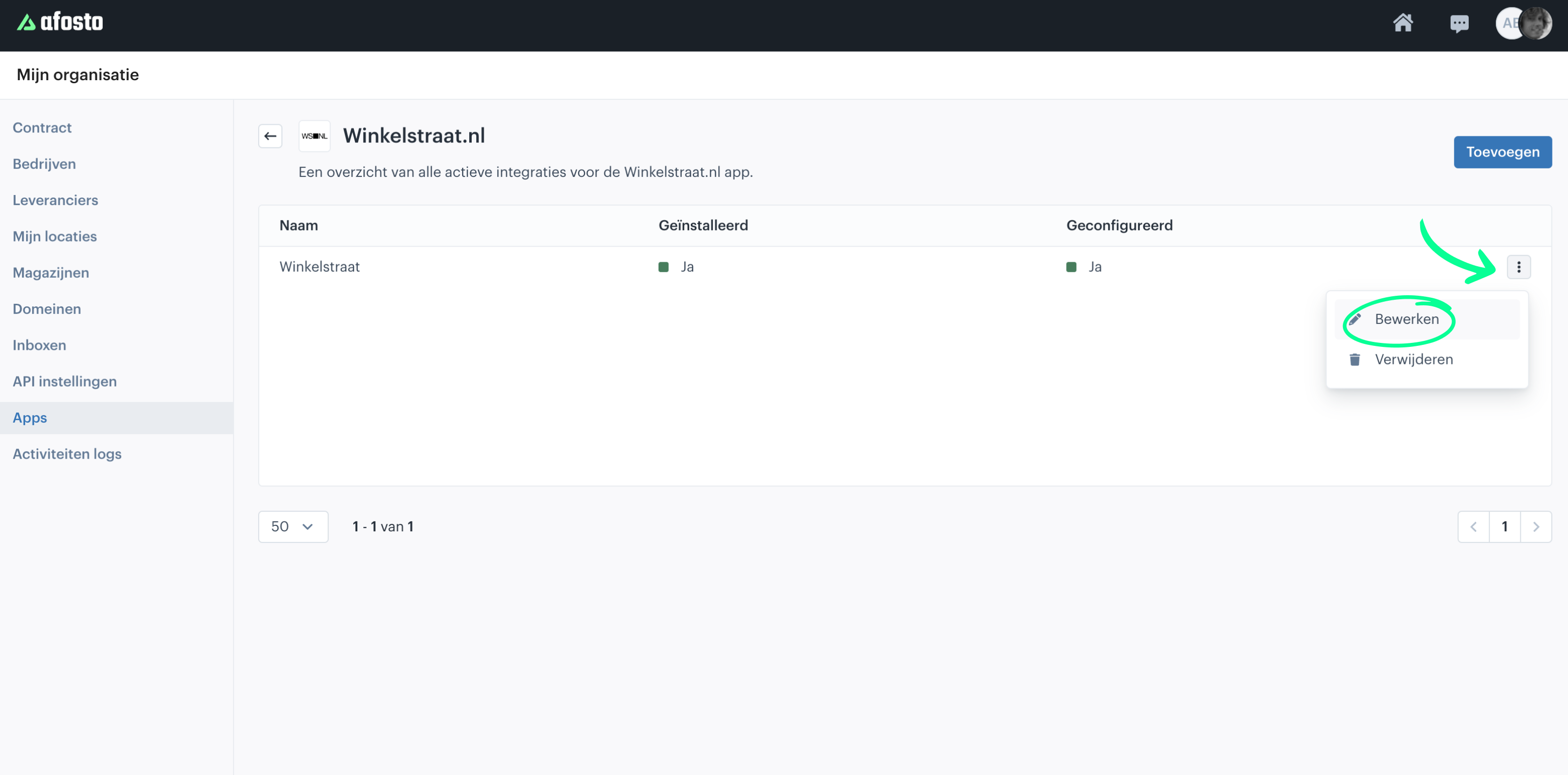
- Now fill in the API-key field with the key value you received from your Winkelstraat account manager and click 'Save'.
On this page